 Save to Sell
A sales follow up tracker that tells you who's due today
Follow ups slip when your tracker is only a list of names. Save to Sell gives every lead a 7 step follow up plan, writes each email in your voice, and puts the people due today at the top.
Every Pro feature free for 30 days. No credit card. Works on your PC, Mac, iPhone and Android phone.
The 7 step follow up plan every lead gets
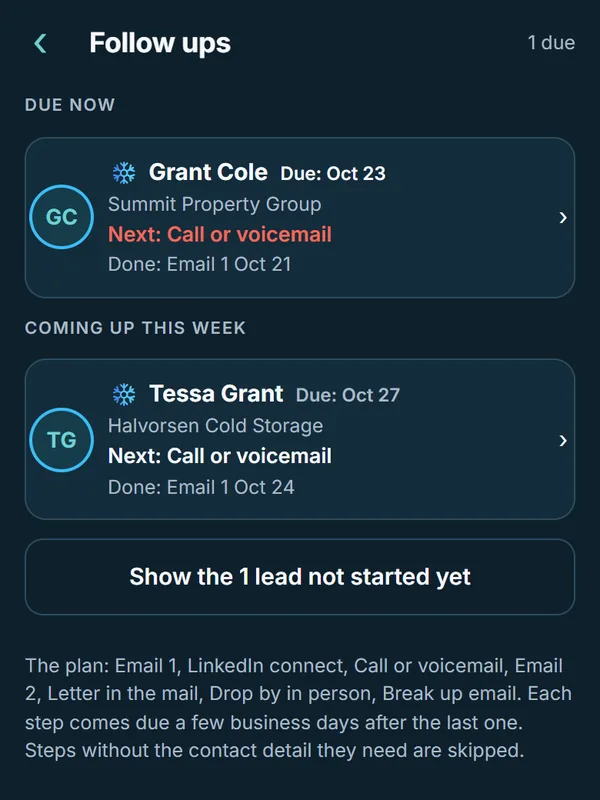
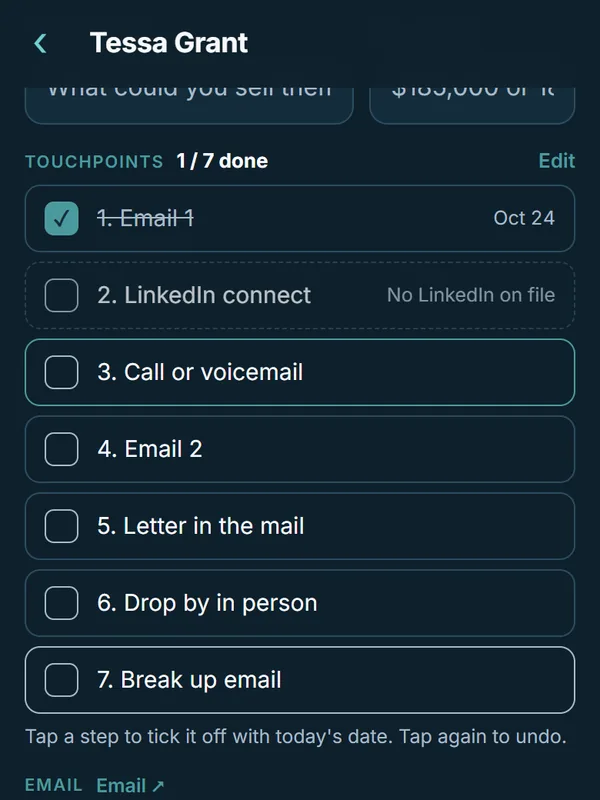
Each step comes due a few business days after the last one. A step that needs a detail you don't have yet, like a LinkedIn profile or an address, is skipped until you add it. The whole plan runs about 8 weeks.
- 1Email 1Short, specific, one clear ask.Any time
- 2LinkedIn connectA connection note that names how you met.2 business days later
- 3Call or voicemailCall notes ready: an opener, questions and a voicemail.3 business days later
- 4Email 2One new detail they can use.2 business days later
- 5Letter in the mailA printed paragraph stands out in a full inbox.5 business days later
- 6Drop by in personPlan it into your Drive Route when you're nearby.5 business days later
- 7Break up emailA short note that closes the loop and leaves the door open.About a month later
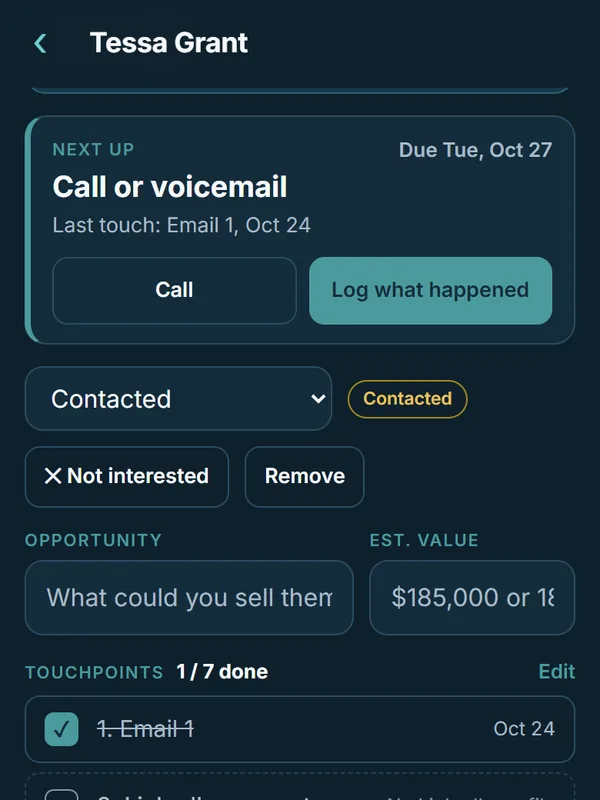
Your plan, your steps: rename them, reorder them or change the days between them. Mark a lead Not interested or Meeting booked and its follow ups stop coming due.
What it looks like on your phone
Real screens from Save to Sell. The rep, leads and companies are sample data.
Sample follow up emails
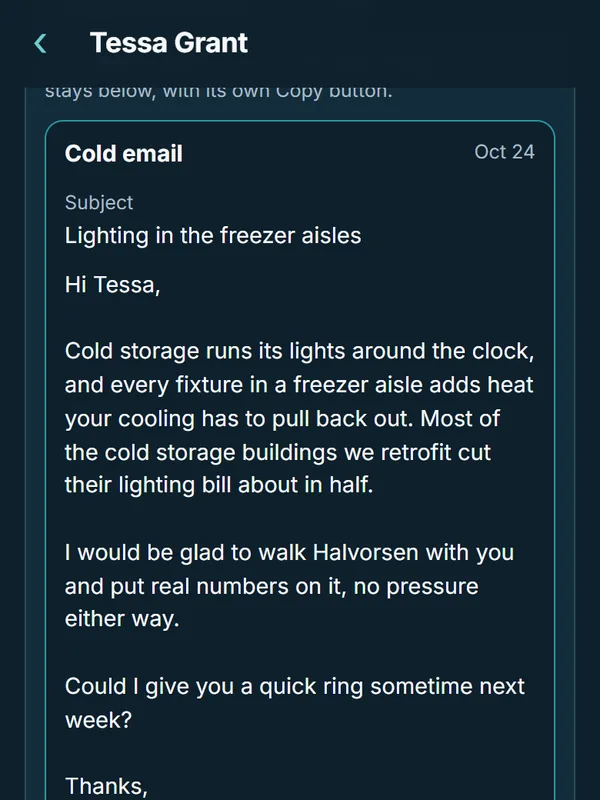
Here's what Save to Sell wrote for a sample rep who sells LED lighting to warehouses, after a business card from a cold storage facilities manager. Yours are written from how you sell and how you write.
Email 1
Any time after you meetSubject: Lighting in the freezer aisles Hi Tessa, Cold storage runs its lights around the clock, and every fixture in a freezer aisle adds heat your cooling has to pull back out. Most of the cold storage buildings we retrofit cut their lighting bill about in half. I would be glad to walk Halvorsen with you and put real numbers on it, no pressure either way. Could I give you a quick ring sometime next week? Thanks, Jordan Avery Account Manager
Email 2
7 business days after Email 1Subject: One number from a building like yours Hi Tessa, One number I should have sent last time: a 400,000 square foot distribution center we retrofit cut its lighting bill 52 percent, and the fixtures paid for themselves in under two years. If the freezer aisles are on your list for next year, I can walk them with you in about an hour. Would Tuesday or Thursday morning work? Thanks, Jordan
Want more? The free trade show follow up kit has messages for every step, written to edit and send.
A spreadsheet tracker next to Save to Sell
| The job | In a spreadsheet | In Save to Sell |
|---|---|---|
| Add a lead | Type every field by hand | Snap the card or a screenshot |
| Know who's due | Sort by date and hope it's current | Today lists who's due and what to do |
| Write the follow up | Start from a blank email | One tap, written in your voice |
| Log what happened | Find the row, type the note | Say it out loud and tap Apply |
Already keep a spreadsheet? Bring it with you. Save to Sell moves your leads, notes and follow ups over from Excel, Google Sheets, HubSpot, Salesforce or monday.com exports.
Questions reps ask
Can I change the follow up steps?
Yes. Edit your touchpoints to add, remove, rename or reorder steps and change the days between them.
What happens when a lead says no?
Mark the lead Not interested and its follow ups stop coming due. A lead marked Meeting booked stops too.
Can I bring my old tracker?
Yes. Upload a spreadsheet or an export from Excel, Google Sheets, HubSpot, Salesforce or monday.com, and Save to Sell moves your leads, notes and follow ups over.
Does Save to Sell send emails for me?
No. It writes the email and opens it in Outlook, Gmail or your email app, and you send it yourself.
Let your follow up tracker work for you
Start free on your own leads. Every Pro feature is free for 30 days, and every lead stays yours.

On an iPhone? Use the web app for now. The iPhone app is coming soon.